./run avatar-parla-prima-di-muovere-labbra
The avatar that talks before it moves its lips
Diary of a real-time conversational AI avatar: STT, LLM, TTS and lip-sync on GPU. The hard decision was decoupling audio from video.
- status
- poc
- project
- ai-avatar-POC
- updated
- 2026-07-08
- tags
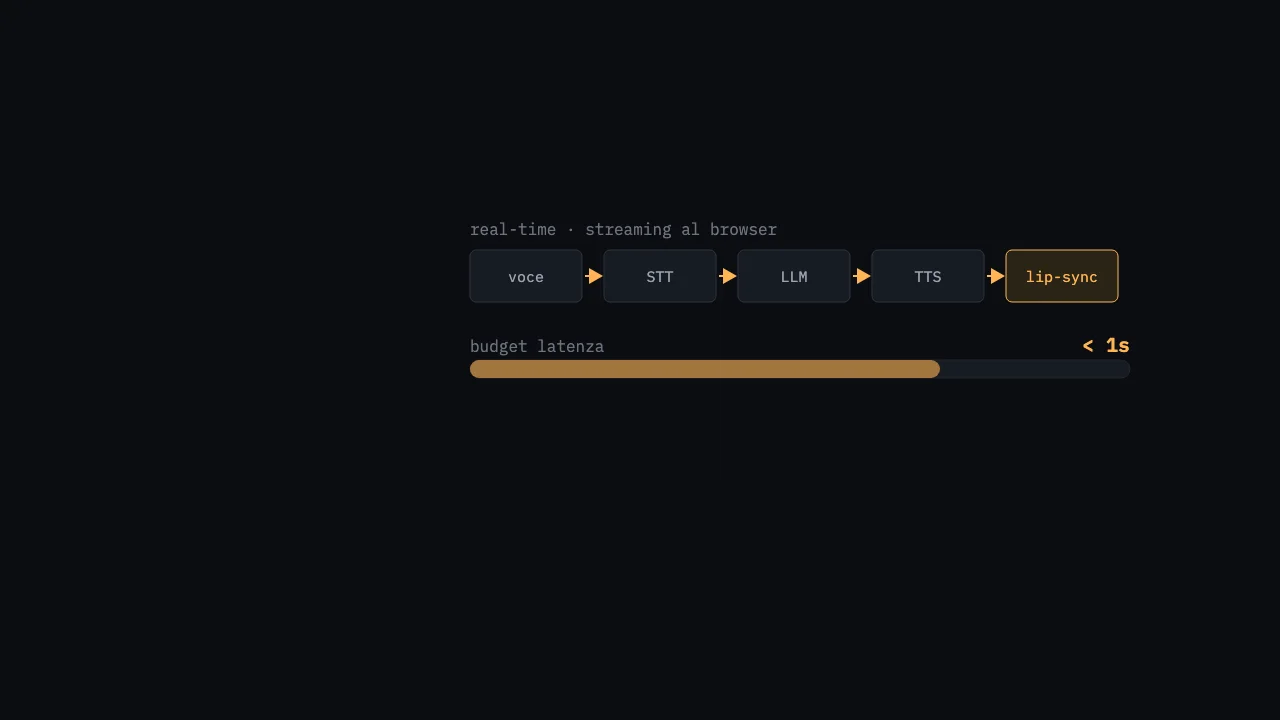
You speak. A moment of silence, and a face on the screen answers you out loud, moving its lips in time. That’s the idea. The reality is that the slowest piece of the chain — the lip-sync on GPU — wanted to hold everything else hostage. The backbone of this POC is the decision with which I stripped it of that power: the avatar talks before it knows how to move its mouth.
The idea
A full-duplex conversational AI avatar: you talk, it answers with voice and video, in (near) real time. The chain is long and each link has its own API:
- VAD in the browser detects when you stop talking
- STT — Whisper transcribes
- LLM — Claude generates the response
- TTS — ElevenLabs synthesizes it into voice
- Lip-sync — MuseTalk animates a face from that audio
Five hops, four of which are network calls to external services, and the last is a diffusion model running on GPU. Naively summed, that’s seconds of waiting with the screen frozen. Unacceptable for something that passes itself off as a “conversation”.
Architecture: two services, one clean separation
I split the system into two processes that talk HTTP to each other:
- Orchestrator (FastAPI, Python 3.11): holds the WebSocket to the browser and coordinates STT + LLM + TTS. No computational weight, just glue and API calls.
- MuseTalk service (FastAPI inside a Podman container, on a GPU H100): a handful of endpoints (
/preprocessto compute the latents,/generatewhich takesavatar_id+ audio, plus health/avatars) and returns an MP4 with lip-synced lips.
The orchestrator knows nothing about CUDA, the GPU service knows nothing about Claude or ElevenLabs. If the heavy piece falls over, the rest keeps working — and this becomes the key to everything.
The browser sends raw audio (PCM 16 kHz mono) over the WebSocket only after the VAD has decided you finished the sentence. I use Silero VAD via @ricky0123/vad-react, tuned tight so it doesn’t trigger on noise:
const vad = useMicVAD({
  positiveSpeechThreshold: 0.8,
  negativeSpeechThreshold: 0.3,
  minSpeechFrames: 5,
  redemptionFrames: 8,
  onSpeechEnd: (audio) => {
    if (status === "processing" || status === "speaking") return; // no barge-in
    wsRef.current.send(float32ToPCM16(audio).buffer);
  },
});
The hard decision: decoupling audio from video
The instinct would be: wait until the video is ready and send it. But the video is the slow, capricious link. So I flipped the order. The WebSocket handler sends every result as soon as it has it, streaming, and treats the video as an optional enhancement, not as a requirement:
# STT → transcription immediately
transcript = await self.pipeline.transcribe(wav_buffer)
await self._send({"type": "transcript", "text": transcript})

# LLM → response text immediately
response_text = await self.pipeline.generate_response(transcript)
await self._send({"type": "response", "text": response_text})

# TTS → the user HEARS the response NOW
audio_bytes, audio_id = await self.pipeline.synthesize_speech(response_text)
await self._send({"type": "audio_url", "url": f"/api/audio/{audio_id}"})

# Video → if it fails, the user already has the audio (degrades gracefully)
try:
    video_id = await self.pipeline.generate_avatar_video(self.avatar_id, audio_bytes)
    await self._send({"type": "video_ready", "url": f"/api/video/{video_id}"})
except Exception as e:
    logger.warning("Video generation failed (audio already sent): %s", e)
The perceived effect: you hear the voice reply almost immediately, showing the avatar’s static photo in the meantime; when the video arrives, the player switches from the photo to the animated clip. If the GPU is busy, erroring out, or simply too slow, you don’t notice: you still have a complete voice conversation. The video is the cherry, not the cake.
For the video to be sustainable, I also cut it short at the source. Claude’s system prompt is brutal and max_tokens is fixed at 150:
IMPORTANTE: Rispondi SEMPRE in massimo 1-2 frasi brevi (max 30 parole).
Le risposte lunghe causano latenza nel video. Sii conciso ma cordiale.
Every extra word is one more frame to generate at 25 fps. Conciseness here isn’t style: it’s a latency budget.
On the GPU side, the trick to avoid paying twice is preprocessing. On the first uploaded photo I do face detection (DWPose), face parsing for the blending mask and VAE-encoding of the 256×256 crop, then save it all to a pickle. During /generate I load the ready-made latents and only the UNet inference is left, in batches of 32 frames, in fp16:
with torch.no_grad():
    pred_latents = self.unet.model(
        latent_batch, timesteps,
        encoder_hidden_states=audio_features,   # Whisper features of the TTS
    ).sample
Honest gotchas
- PyTorch 2.0.1 doesn’t talk to the H100. MuseTalk’s default (Torch 2.0.1 + CUDA 11.7) ignores the
sm_90architecture. I had to rebuild everything on the NGC PyTorch 24.01 image (Torch 2.2 + CUDA 12.3). Half a day burned figuring out why the most powerful GPU in the fleet was the one that didn’t work. - Two different Whispers. One is OpenAI’s API (
whisper-1) that the orchestrator uses for STT. The other is a Whisper tiny internal to MuseTalk, which extracts audio features to drive the lip-sync. Same name, two worlds. Figuring this out late cost me a surreal debugging session. - The MP3→WAV roundtrip. ElevenLabs gives me MP3 (convenient for the browser), but MuseTalk wants WAV at 16 kHz. So I re-decode with an
ffmpegin a subprocess on every turn. Pure waste. I do it in the orchestrator with the systemffmpeg; theffmpegbundled byimageio, instead, I use inside the container only for the final video+audio mux. - Broken cv2 in the base image. The NGC image has a half-compiled OpenCV: I had to uninstall it and reinstall
opencv-python-headlesswith--no-depsto avoid having numpy re-upgraded under my feet. - “Real-time” with an asterisk. The video is generated as a whole file and then served: it’s request/response, not a stream of frames. Until I find frame streaming, the video latency stays equal to the full generation. This is exactly why I made it optional.
- Code/code drift.
pipeline.pyexposes a niceprocess_speech()method that runs the whole chain in sequence — but the WebSocket doesn’t use it: it calls the individual steps by hand precisely so it can stream. The “clean” method is a fossil of the first, blocking version.
How it’s going
It’s a POC, declared as such. The two services run, the voice conversation is fluid, the lip-sync works when the GPU is free. There are inefficiencies I can see and haven’t removed yet: in the generation loop I recompute the same VAE latents for every frame instead of reusing them, and I trim the conversation history crudely (I keep the last 16 messages when I exceed 20). The next real jump is streaming the video in chunks, not the monolithic file.
What I learned
That in a real-time pipeline the right question isn’t “how fast can I make the slow link”, but “how do I avoid depending on the slow link”. Treating the lip-sync as an enhancement instead of as a requirement changed everything: the perception of responsiveness doesn’t come from the most expensive component, it comes from the first useful bit you manage to deliver. Better an immediate voice over a frozen photo than a perfect video three seconds later. The grace with which you degrade matters more than the peak you reach.
grep -rl 'same thread' ~/lab
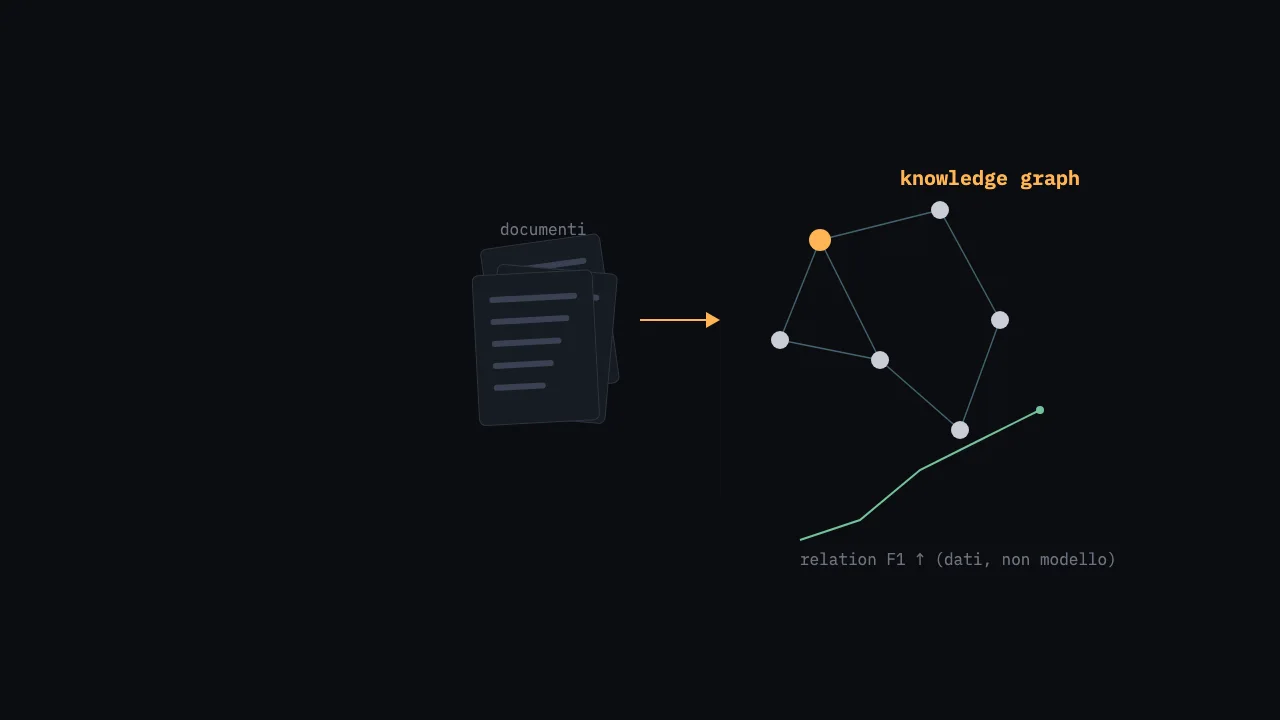
Relation F1 at 0.38: when the lesson wasn't the model, but the data
Technical diary of a fine-tuning: LoRA on a 27B model to extract knowledge graphs from messy documents. The turning point wasn't a bigger model…
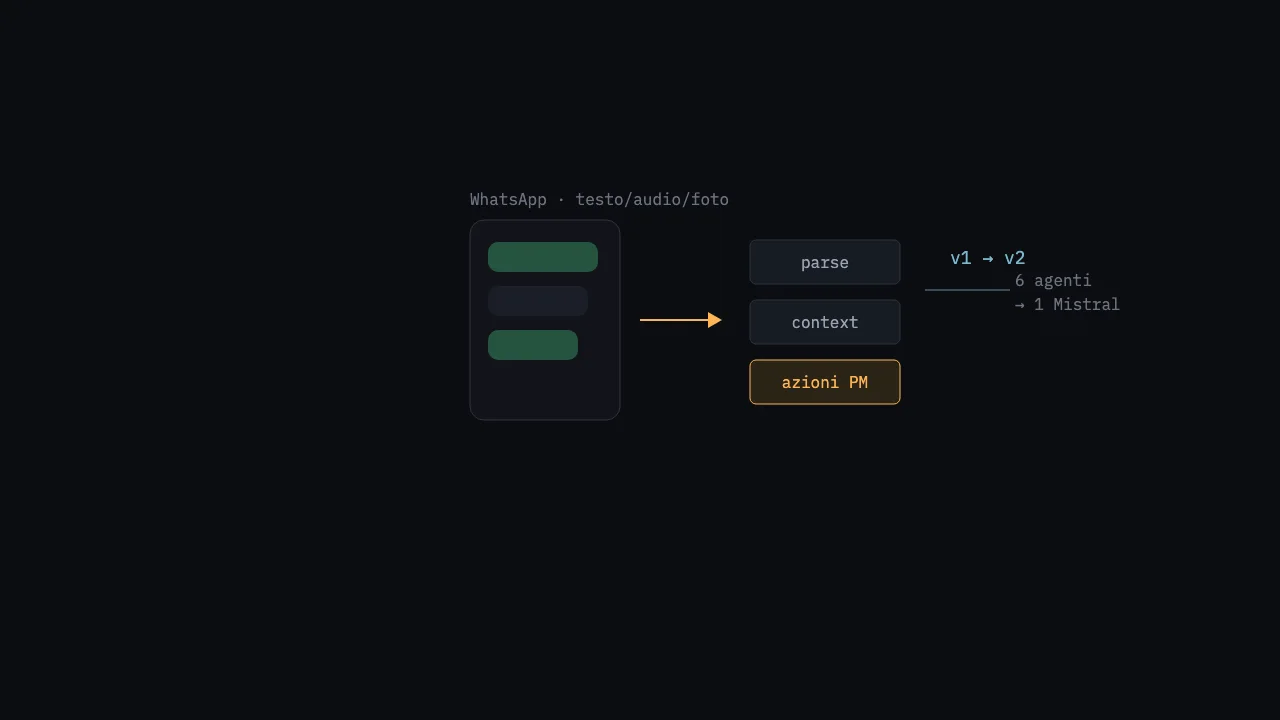
Pragma, twice: I threw out six agents and two databases, and gained a feature that weighs 1
I rebuilt a WhatsApp project-management assistant for the public sector from scratch: from six agents and three databases to just one. A diary on which complexity…
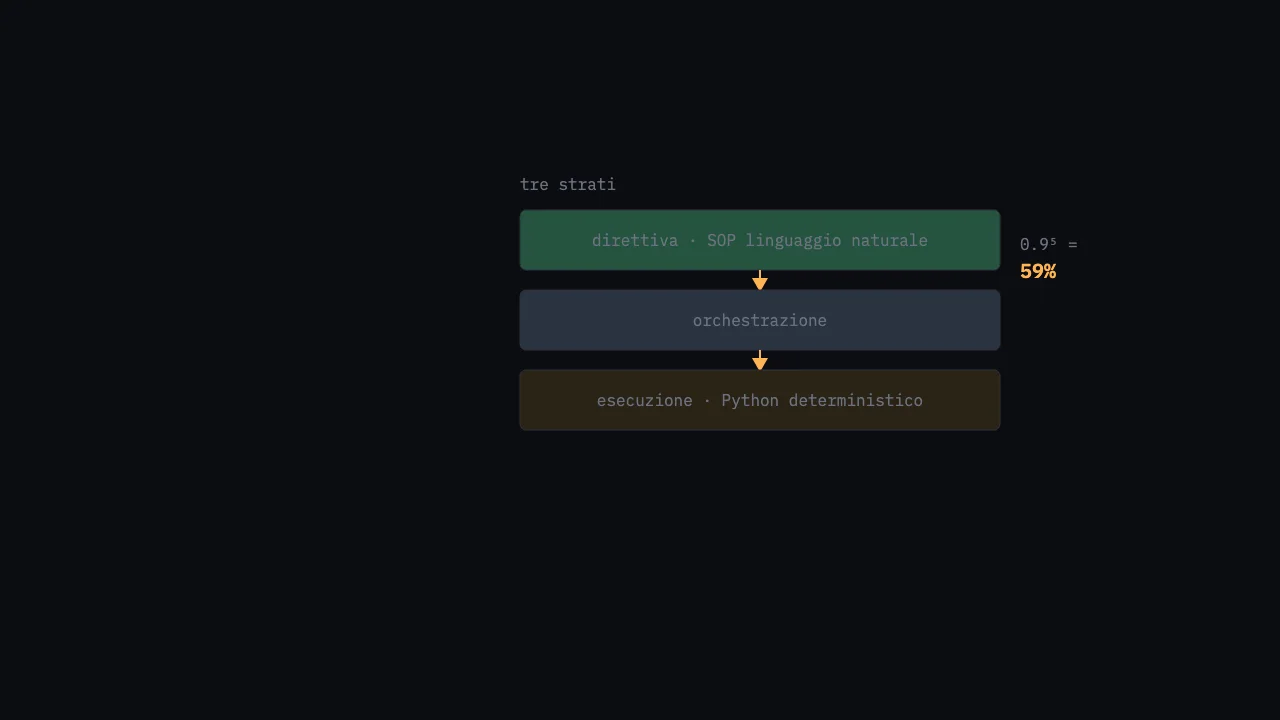
The 59%: why I stopped letting the LLM do everything
Diary of a multi-agent scaffold on Agno: three layers directive/orchestration/execution, natural-language SOPs on top, deterministic Python underneath…